An Eisenhower Matrix widget for Android
A priority list you have to remember to open is a list you'll forget. Putting it on the home screen means you see today's tasks every time you unlock your phone.
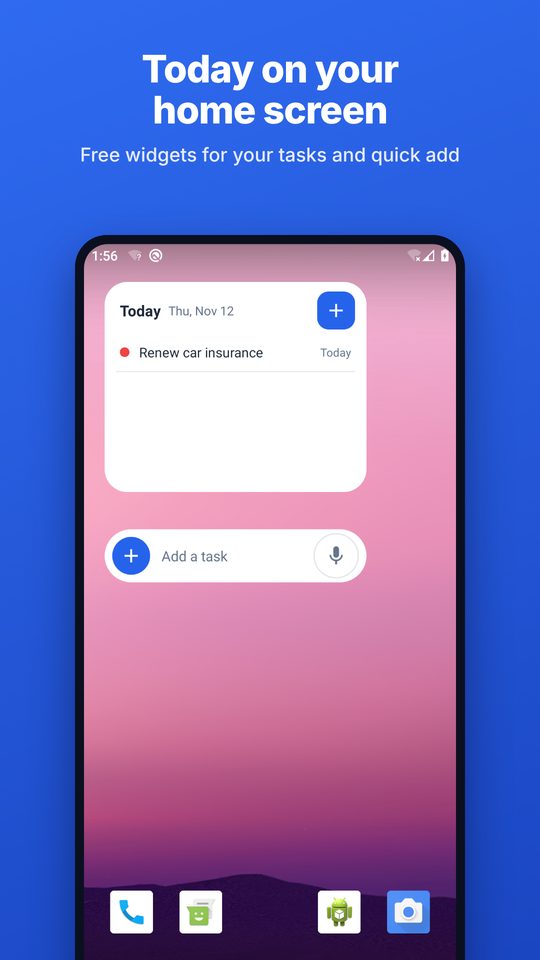
Two widgets, two jobs
Eisenhower Matrix: To-Do List has two free home screen widgets:
- Today. Shows tasks that are late or due today, so the urgent ones are always in view. Tap a task to open it.
- Add a task. A bar that opens a new task in one tap, typed or by voice. Say "Call the dentist tomorrow at 3pm" and the title, date and time fill in.
How to add them
- Open the app and go to Settings > Home Screen Widgets.
- Tap Add the Today widget or Add the Add a task bar, and confirm on your home screen.
- If your phone doesn't offer that, press and hold an empty part of your home screen, choose Widgets, then find Eisenhower Matrix.
Why a widget fits the Eisenhower method
- Urgent tasks stay visible. Late and due-today tasks are exactly what slips when the app is closed.
- Capture gets faster. One tap from the home screen means fewer tasks held in your head.
- Important tasks get dates. Once a Schedule task has a due date, it turns up on the widget on the day, instead of hiding in a box you rarely open.
Tips
- Put the Today widget on your first home screen page, not the third.
- Keep it short: if it shows more than five tasks, run a quick overdue clear-out.
- Pair the widget with the free Daily Review once a day, so the widget shows a list you have actually decided on.
Want to capture tasks from inside other apps too? Pro adds a floating bubble that sits over any app. It's one payment, with a 7-day free trial and no card.