A private Eisenhower Matrix with no account
A to-do list is a surprisingly personal document. Doctor's appointments, money worries, job applications, the awkward call you keep putting off. You don't need an account on someone else's server to sort it into four boxes.
What "no account" means in practice
In Eisenhower Matrix: To-Do List there is nothing to sign up for. You open the app and add a task. Your tasks, labels and settings are kept in the app's storage on your phone, and the app works with no internet connection.
We never see your tasks. There are no ads and no tracking in the app. The privacy policy spells out the details, including the few cases where data can leave the phone, all of which you switch on yourself.
A private workflow in five steps
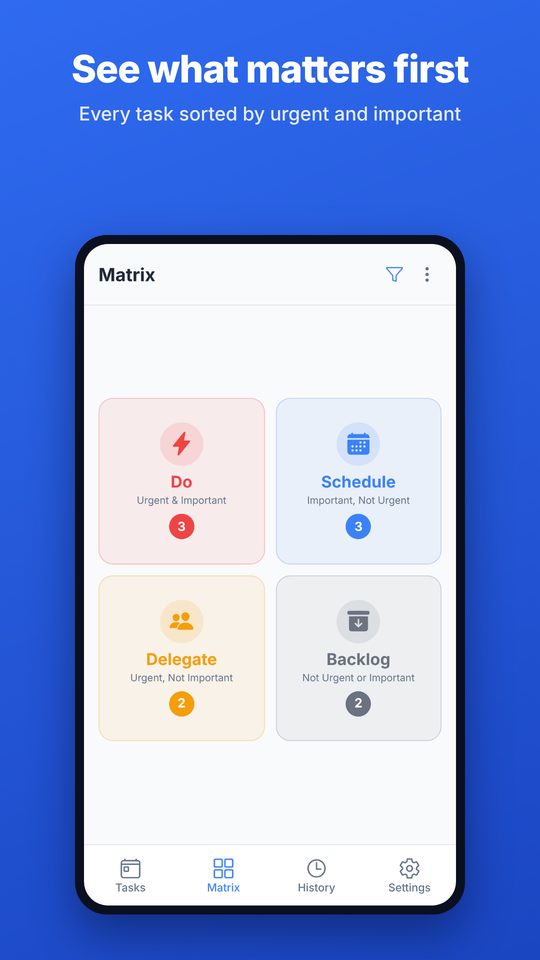
- Capture. Add tasks as they come up, typed or spoken. Mark each one urgent and/or important and it lands in the right box.
- Date the important ones. Anything in Schedule gets a due date, or it will never happen.
- Review once a day. The Daily Review shows today's and overdue tasks one at a time: mark it done, do it today, pick another day, or delete it.
- Keep the Do box small. If more than a handful of tasks sit there, some are only urgent. Move them.
- Back up. Export your tasks to a file now and then, and keep it somewhere safe.
What you give up, honestly
- No sync between devices. Your tasks live on one phone. If you need the same list on a laptop and a phone, an account-based app will suit you better.
- No sharing a whole list. You can share a single task by link, but there is no shared family or team board.
- Backups are your job. Nobody else holds a copy. Android's own device backup may copy app data to your Google account, which you control in your phone's settings, and the app can export files any time.
Backups without an account
Export and import are free: save a file, and bring it back on a new phone. With Pro, automatic backups keep rolling snapshots in a folder you choose on your phone. If that folder syncs to a cloud drive, the drive's own terms apply, which is your choice to make. The Google Drive backup guide shows both routes step by step.
Voice entry and privacy
When you tap the microphone, the app uses your phone's own speech recognition, the same service your keyboard uses. Check your phone's settings if you want to know where that service processes speech.
Prefer paper? The free printable matrix is as private as it gets.